
Dev

Webflow for Healthcare: HIPAA Website Guide

Webflow for Healthcare HIPAA Website
| 4.9
Your website should be your 24/7 sales machine.

We develop websites designed to convert.

Thank you! Your submission has been received!
Oops! Something went wrong while submitting the form.

Built for companies ready to scale

Created on:
September 24, 2026
Published on:
September 24, 2026
Quick answer

Webflow must not be used to collect, store, or process protected health information (PHI). It works well as a public marketing site, as long as patient data goes to separate systems that are built and contracted for healthcare data.

‍

Webflow's Terms say it does not offer HIPAA-compliant services, and its Acceptable Use Policy prohibits using it to collect, store, or process PHI subject to HIPAA. That doesn't rule Webflow out for healthcare. Your service pages, provider profiles, and articles can live in Webflow. Patient intake, medical histories, lab results, messaging, and portals belong somewhere else.

This is practical website-build guidance, not legal advice. Involve privacy counsel or your HIPAA compliance lead when you map data flows, vendors, and Business Associate Agreements (BAAs).

Key Takeaways

  • Use Webflow for public pages and editorial content, not for anything that touches PHI.
  • Send intake, records, clinical messages, and portal features to a separate, reviewed system.
  • Check every vendor and tracking script against the data it actually receives.
  • As of September 2026, HHS's Security Rule update is still a proposal, not a new rule.

Webflow for Healthcare Businesses in 2026: Where It Fits

If you are wondering whether is Webflow HIPAA compliant? A healthcare website is rarely one system. The CMS, forms, scheduling, analytics, CRM, patient portal, EHR, and telehealth platform are often separate services. Risk appears when identifiable health information moves between them.

For teams that want visual control, fast publishing, and a CMS that marketing can run, Webflow makes sense as the public layer. The limit is contractual as well as technical. SSL, SOC 2, or ISO certifications don't make a service appropriate for PHI when its terms prohibit that use.

Our Webflow development services keep that public layer separate from your clinical systems. If you're still choosing a platform, our Webflow vs WordPress and Framer vs Webflow guides cover the publishing trade-offs.

What Counts as PHI on a Website

Protected health information is individually identifiable information about someone's health, care, or payment for care, held or transmitted by a HIPAA-regulated entity or its business associates. On a website, context matters. A name alone isn't automatically PHI, but a name attached to an appointment request, a portal login event, or a symptom form can be. Classify each field and event by where it goes, not by its label on screen.

‍

Website function Webflow's role What to do
Service pages, articles, team bios Good fit Keep PHI out of CMS content and visitor inputs.
General contact form Review carefully Don't ask for symptoms or treatment details. Check free-text fields and where submissions are sent.
Appointment requests or patient intake Use a separate service Confirm the data path and the required BAAs.
Patient portal, lab results, prescriptions Not in Webflow Run on a separate authenticated system.
Analytics, pixels, session replay Case-by-case Inspect what each page and event sends.
CRM, chat, scheduling Vendor review Check PHI access, contracts, and integrations.

‍

Current HIPAA Security Rule vs. the Proposed Update

As of 24 September 2026, no new "2026 HIPAA Security Rule" is in force. HHS proposed an update in December 2024 (published January 2025). The proposal includes multi-factor authentication with limited exceptions, vulnerability scans at least every six months, annual penetration tests, network segmentation, and more explicit backup and recovery controls. None of this is binding until HHS publishes a final rule with effective and compliance dates.

The existing Security Rule still requires covered entities and business associates to protect electronic PHI (ePHI) with administrative, physical, and technical safeguards, including risk analysis and risk management. Meet today's obligations now and track the proposal.

‍

Topic Current rule 2025 proposal
Risk analysis Accurate, thorough assessment of ePHI risks More prescriptive documentation and review
Technical safeguards Access, audit, integrity, authentication, and transmission controls More explicit requirements, including broader MFA
Testing Risk-based evaluation Vulnerability scans every six months; annual penetration tests
Resilience Contingency planning and data backup Detailed backup, restoration, and network segmentation controls

‍

HIPAA-Compliant Website Design: What Web Designers Need to Know

HIPAA changes the data flow more than the page layout. A form becomes sensitive when it combines an identifier with health, care, or payment information.HIPAA-compliant website design should answer the following 4 questions: 

  • What can the visitor submit?
  • Which system receives and stores it?
  • Which vendors or subprocessors can access it?
  • What happens to it after submission, and when is it deleted?

Map PHI Before You Pick the Tool

A basic contact form and a symptom-intake form can look identical and carry very different risk. Minimize every field, especially free-text boxes and file uploads, which invite clinical details you didn't ask for. Then test the full path, including confirmation emails, CRM syncs, webhooks, support tickets, analytics events, and backups. A data-flow diagram that leaves out these copies understates your exposure.

Require BAAs Where Vendors Handle ePHI

According to HHS cloud guidance, a cloud provider that creates, receives, maintains, or transmits ePHI for a regulated entity is a business associate, even if it only stores encrypted data without the key. Sign BAAs with qualifying form, portal, storage, and messaging vendors, and review their subcontractors. A BAA alone doesn't make an integration compliant. You still need risk analysis, controls, procedures, and oversight.

Control Tracking, Analytics, and Third-Party Scripts

Audit advertising pixels, tag managers, chat widgets, embedded scheduling, heatmaps, and session replay. HHS tracking guidance covers both logged-in and public pages. In 2024, a court vacated one narrow part of it: the claim that an IP address plus a visit to a public page about a condition automatically triggers HIPAA. That doesn't make public pages risk-free. Check what data is actually sent.

Logged-in patient pages need the most care, because appointment, diagnosis, prescription, and billing context can leak to a tracking vendor. Inspect outgoing requests before launch and after every tag change. Our SEO services team can set up conversion tracking that fits the approved privacy setup.

How do I make my website HIPAA compliant?

The website itself doesn't become "compliant." What matters is how the systems behind it handle protected health information (PHI).

  1. Work out whether HIPAA applies. It covers healthcare providers, health plans and clearinghouses (covered entities), plus the vendors who handle PHI for them (business associates). A wellness brand that isn't a covered entity may fall under state health-data laws or FTC rules instead.
  2. Map every data flow. For each form, booking widget, chat tool, upload field and tracking script, note what's collected, where it goes, who can see it and when it's deleted.
  3. Collect less. Remove fields and free-text boxes you don't need, and never put patient details in URLs.
  4. Move PHI to vendors that will sign a Business Associate Agreement (BAA). That includes forms, booking, portal, email, hosting and storage.
  5. Put safeguards in place. Use encryption in transit and at rest, access controls, multi-factor login, audit logs, backups, and a plan for handling incidents.
  6. Audit tracking scripts. More on this in the last answer.
  7. Complete a documented risk analysis and review it whenever your tools change.
  8. Train staff on things like email and replies to online reviews, which are common ways PHI leaks.

Patient Portals and Secure Forms With a Webflow Site

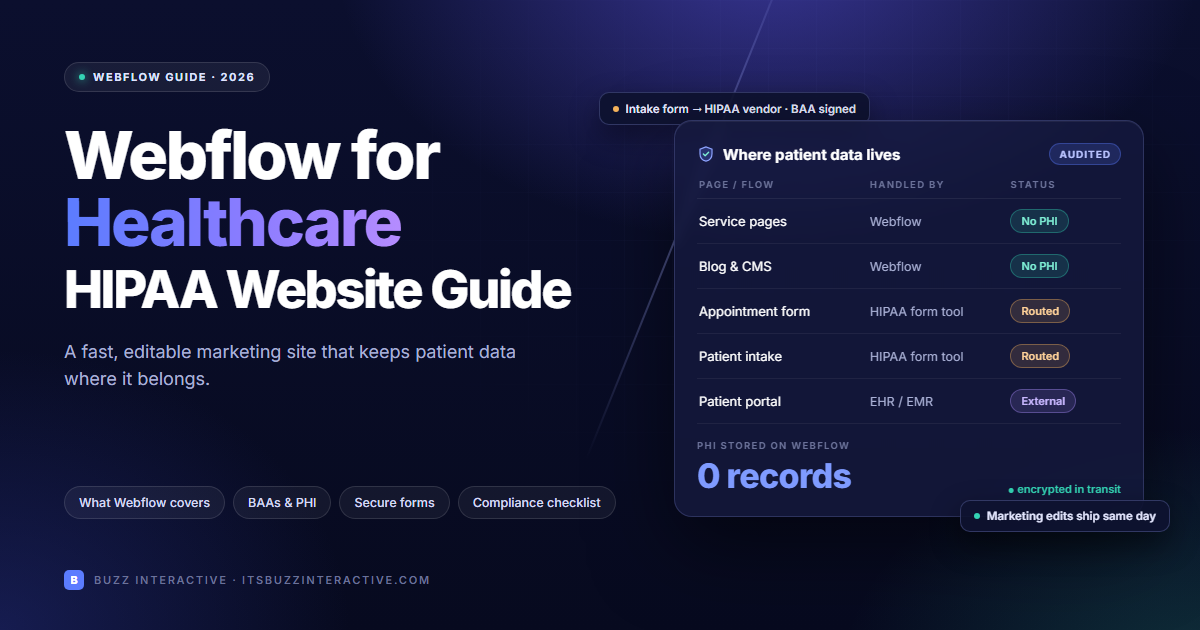
This is the central design decision: the public Webflow site and the patient-facing systems are separate, and there is a clear boundary between them.

‍

Inside Webflow

Step 1

Public Webflow site

  • Services
  • Articles
  • Team

No PHI in CMS or forms

Outside Webflow

Step 2

Secure patient flow

  • Intake
  • Booking
  • Portal

Vendor review and BAA

Step 3

Clinical systems

  • EHR
  • CRM
  • Care team

Approved data flows

‍

  • The Webflow site links patients to BAA-covered services. PHI never flows back into Webflow.
  • A visitor lands on a public Webflow page.
  • Clicking "Book" or "Patient login" opens a separate HIPAA-capable form, booking flow, or portal.
  • Sensitive data stays in that service and its approved downstream systems.
  • Only approved, non-PHI conversion events return to your analytics.

Embedding a third-party HIPAA form on a Webflow page isn't a compliance solution by itself. Check whether fields, URLs, scripts, browser events, or notifications expose data to Webflow or other vendors. Linking or redirecting to a separately hosted form usually makes the boundary easier to verify than an embed, but test either approach. Never pass patient details in URL query strings.

Webflow for Dental and Medical Practices

Webflow HIPAA dentists and private medical practices are some of the most common Webflow healthcare clients. Their risks are specific:

  • New-patient forms: medical histories, medications, and insurance details belong in a HIPAA-capable form or your practice management system's own intake, not in Webflow forms.
  • Online booking: link to your practice management or booking system's scheduler rather than rebuilding it in Webflow.
  • Before-and-after galleries and testimonials: patient photos and stories used in marketing need the patient's written authorization. Store signed consent outside Webflow.
  • Review replies: HHS has fined dental practices for disclosing patient information when replying to online reviews. Keep replies generic.
  • Pixels on booking pages: keep ad pixels off booking and login flows unless your privacy lead has approved exactly what they send.

When Webflow Is the Wrong Platform

Webflow is the wrong main platform when the core experience has to store, display, or process PHI. That includes patient dashboards, records, lab results, prescriptions, secure messaging, care plans, and logged-in telehealth. Those need a regulated-data platform or a custom application. Our product development team can build that layer alongside the public site.

It's also the wrong choice if your organization requires one vendor to cover the whole website and app under a single BAA, or can't approve a split setup.

How Much Does a HIPAA-Compliant Website or App Cost?

It depends on how much of the build touches PHI. Here are three typical tiers:

‍

Scope What's included Main planning consideration
Marketing site only Webflow pages and CMS without PHI; links to existing approved patient tools Content, design, SEO, accessibility, and a clear handoff to secure services
Site plus secure forms and booking Public site plus separately hosted intake and scheduling services Vendor review, BAAs where required, data-flow testing, and recurring subscriptions
Custom patient app or portal Authentication, roles, audit logs, EHR connections, and PHI-capable infrastructure Product scope, integrations, security testing, operations, and ongoing compliance

‍

Ask for a scoped estimate after the patient journey, integrations, and PHI boundary are mapped. A marketing site and a custom patient portal are different projects; a single generic "HIPAA website" price would be misleading.

Healthcare Website Launch Checklist

  • Map every visitor input and data flow, including URLs, emails, logs, and analytics.
  • Keep the Webflow CMS, native forms, and automations free of PHI.
  • Confirm your secure form or portal vendors, their downstream services, and the required BAAs.
  • Review authentication, access, audit logging, retention, backups, and incident procedures for PHI systems.
  • Audit tracking scripts on public, login, and logged-in pages.
  • Test the real submission journey and verify where the data ends up.
  • Get sign-off from your privacy, security, and operations owners before launch.

Which website builder is HIPAA compliant?

No website builder is "HIPAA certified." HHS doesn't certify products. What matters is whether a vendor will sign a BAA for the service that actually touches PHI.

  • Webflow, Wix, Squarespace and Framer: fine for marketing pages, not for PHI. Webflow's terms explicitly prohibit PHI, and none of the others sign BAAs for standard plans, as far as I know.
  • WordPress or a custom site on HIPAA-capable hosting: possible if the host signs a BAA. You still have to secure the plugins, forms and backups yourself.
  • The common setup: a website builder for public pages, plus separate services that sign BAAs for the PHI parts. Some form vendors (for example Jotform and Formstack) sign BAAs on certain plans, and practice management systems include booking and patient portals.

Vendor terms change, so check each one's current BAA offer before you rely on it.

How much does it cost to build a HIPAA-compliant app?

These are rough US industry ranges, and they vary a lot by region and team:

‍

Scope Typical range
Marketing site only, no PHI $5k–$30k
Site plus third-party HIPAA forms and booking Site cost, plus roughly $50–$500/month for tools
Simple custom patient app or portal (MVP) $50k–$150k
Complex platform (EHR integration, telehealth, several user roles) $150k–$500k+

‍

On top of the build, budget for:

  • A risk assessment (roughly $5k–$25k)
  • Penetration testing (roughly $5k–$30k a year)
  • HIPAA-capable cloud hosting (from a few hundred to several thousand dollars a month)
  • Logging and monitoring tools
  • Ongoing maintenance, often 15–25% of the build cost each year

What drives the cost most is the number of integrations (EHR, labs, payments, wearables), the number of user roles, how much auditing and security testing you need, and whether you need a native mobile app as well as the web app.

HIPAA website tracking risks

Tracking tools can quietly send health-related data to Google, Meta, TikTok and similar companies, none of which sign BAAs for advertising products. Hospitals and health systems have faced HHS enforcement, FTC actions and class-action lawsuits over this since 2022.

Where the risk sits:

  • Pixels on logged-in pages (patient portals, booking confirmations, bill pay). This is the highest risk because the visitor is clearly a patient.
  • Form and booking events. For example, a "Submitted: cardiology appointment" event combined with an IP address or cookie ID.
  • URLs and page titles that include conditions, doctor names or appointment details, such as /book?service=hiv-testing.
  • Session replay and heatmaps, which can record what visitors type into form fields.
  • Chat widgets and embedded schedulers that load their own trackers.

Legal status: HHS's tracking guidance still applies to logged-in pages and patient-specific data. In 2024 a federal court struck down only one narrow part: the claim that an IP address plus a visit to a public page about a condition automatically counts as PHI. Public pages still aren't automatically safe. What matters is what data you actually send.

How to reduce the risk:

  • Keep ad pixels off patient portal, booking and form pages.
  • Strip condition and service details from URLs and event names.
  • Consider server-side tagging, where your server filters data before it reaches analytics or ad platforms.
  • Turn off form-field capture in session replay tools, or don't use them.
  • Check what your site actually sends in the browser's network tab before launch and after every tag change.
  • Put any vendor that needs PHI under a BAA. If it won't sign one, don't send it PHI.

How Buzz Interactive Builds Healthcare Websites on Webflow

We design and build the public Webflow site and work with your privacy, security, and clinical teams to define the boundary around patient data. When you need a portal or app, we can scope it alongside the site.

‍

Stage What we deliver What you or your specialists decide
Discover Audience journeys, content inventory, conversion goals, sitemap Clinical workflows and regulated-entity status
Architect Public site vs. patient-system diagram; form and integration inventory Privacy and security review of data paths and vendors
Design Accessible templates, service pages, provider profiles, clear calls to action Medical claims, patient language, brand
Build Webflow CMS, responsive pages, redirects, metadata, structured data The approved secure portal and form destinations
Validate Cross-device QA, accessibility checks, tag review, handoff BAAs, risk analysis, launch approval
Grow SEO content, measurement improvements, CMS training Ongoing clinical and privacy changes

‍

You get a clear public website and a documented handoff to your secure services. We don't claim that a Webflow build, a plugin, or any agency process makes an organization HIPAA compliant. Your compliance and legal teams make that call for the whole operation, and we build so their review is straightforward.

Frequently Asked Questions

Not every healthcare website handles PHI. HIPAA applies to covered entities, their business associates, and the PHI they create, receive, maintain, or transmit. If your site collects patient information, the systems handling it must meet HIPAA requirements. Map your data flows first.
HHS doesn't certify website builders. Some vendors will sign a BAA for their hosting or forms, but compliance depends on your whole setup: safeguards, agreements, integrations, and day-to-day practices.
Map where PHI flows, remove sensitive inputs you don't need, move patient data to vendors that sign BAAs, put safeguards in place, audit tracking scripts, and complete a risk analysis.
No. Webflow states that it does not offer HIPAA-compliant services and prohibits using it to collect, store, or process PHI. It can still power the public, non-PHI part of a healthcare website.
Yes, if no PHI passes through Webflow and the form vendor signs a BAA. Linking to a separately hosted form is usually easier to verify than an embed. Test the actual data path before launch.
As of September 2026, there aren't any final ones yet. HHS's proposed update, which includes MFA, six-monthly vulnerability scans, annual penetration tests, and network segmentation, has not been finalized.
It depends on product scope, integrations, user roles, security testing, hosting, and ongoing operations. The scope comparison above shows why a public marketing site and a custom patient portal need separate estimates.
No. Accessibility law, state consumer health-data and privacy laws, FTC rules on health data and advertising, and breach-notification rules may also apply.

‍

Build Your Healthcare Website Around the Data Boundary

Webflow can power a fast, polished public healthcare website, as long as patient data stays out of it. We'll map the patient journey, separate your marketing and patient systems, and build around an architecture your compliance team can approve. Talk to our team before your platform decision is locked in.

<script type="application/ld+json">

{

 "@context": "https://schema.org",

 "@type": "FAQPage",

 "mainEntity": [

   {

     "@type": "Question",

     "name": "Does my website need to be HIPAA compliant?",

     "acceptedAnswer": {

       "@type": "Answer",

       "text": "Not every healthcare website handles PHI. HIPAA applies to covered entities, their business associates, and the PHI they create, receive, maintain, or transmit. If your site collects patient information, the systems handling it must meet HIPAA requirements. Map your data flows first."

     }

   },

   {

     "@type": "Question",

     "name": "Which website builder is HIPAA compliant?",

     "acceptedAnswer": {

       "@type": "Answer",

       "text": "HHS doesn't certify website builders. Some vendors will sign a BAA for their hosting or forms, but compliance depends on your whole setup: safeguards, agreements, integrations, and day-to-day practices."

     }

   },

   {

     "@type": "Question",

     "name": "How do I make my website HIPAA compliant?",

     "acceptedAnswer": {

       "@type": "Answer",

       "text": "Map where PHI flows, remove sensitive inputs you don't need, move patient data to vendors that sign BAAs, put safeguards in place, audit tracking scripts, and complete a risk analysis."

     }

   },

   {

     "@type": "Question",

     "name": "Is Webflow HIPAA compliant in 2026?",

     "acceptedAnswer": {

       "@type": "Answer",

       "text": "No. Webflow states that it does not offer HIPAA-compliant services and prohibits using it to collect, store, or process PHI. It can still power the public, non-PHI part of a healthcare website."

     }

   },

   {

     "@type": "Question",

     "name": "Can I use a HIPAA-compliant form with a Webflow website?",

     "acceptedAnswer": {

       "@type": "Answer",

       "text": "Yes, if no PHI passes through Webflow and the form vendor signs a BAA. Linking to a separately hosted form is usually easier to verify than an embed. Test the actual data path before launch."

     }

   },

   {

     "@type": "Question",

     "name": "What are the new 2026 HIPAA security requirements?",

     "acceptedAnswer": {

       "@type": "Answer",

       "text": "As of September 2026, there aren't any final ones yet. HHS's proposed update, which includes MFA, six-monthly vulnerability scans, annual penetration tests, and network segmentation, has not been finalized."

     }

   },

   {

     "@type": "Question",

     "name": "How much does it cost to build a HIPAA-compliant app?",

     "acceptedAnswer": {

       "@type": "Answer",

       "text": "It depends on product scope, integrations, user roles, security testing, hosting, and ongoing operations. The scope comparison above shows why a public marketing site and a custom patient portal need separate estimates."

     }

   },

   {

     "@type": "Question",

     "name": "Is HIPAA the only legal requirement for a healthcare website?",

     "acceptedAnswer": {

       "@type": "Answer",

       "text": "No. Accessibility law, state consumer health-data and privacy laws, FTC rules on health data and advertising, and breach-notification rules may also apply."

     }

   }

 ]

}

</script>

‍

Ready to be different?

I am interested in
White pixel arrow pointing right
Please select one of these options.
My budget is
How did you hear about us
White pixel arrow pointing right
Please select one of these options.
Pink 3D zigzag arrow pointing right
Pink hollow ball with large cutouts
Pink coiled spring toy
Pink chrysanthemum flower close-up
Thank you! Your submission has been received!
Oops! Something went wrong while submitting the form.