

We develop websites designed to convert.
Built for companies ready to scale
An AI company's website ages in weeks because a single model change invalidates claims on half the site at once. A project management tool ships a feature and needs a new screenshot. An AI company swaps the underlying model and the latency figure on the homepage, the accuracy number in the hero, the pricing page built around per-seat billing, and the security page naming one inference provider all become wrong on the same day.
Three different people are reading three different pages while that happens. A security reviewer wants to know whether customer data trains the model. A procurement analyst wants the subprocessor list. An engineer is in the docs deciding whether the API is worth an afternoon. Each of those pages has to be current or the deal slows.
The failure shows up in a specific place. The marketing site describes the company as it was two model versions ago, and sales spends the first ten minutes of every call correcting it.
That is an operating problem, not a design problem, and the platform decision is where it gets solved or entrenched.
Four content types break an AI startup's site, and none of them are the blog posts and case studies that generic Webflow for SaaS advice assumes. Most best CMS for startups guides stop at “Framer or Webflow for the marketing site”, which is true and not useful once you ask what an AI startup website CMS actually has to hold. Architect around these four:
Model and release changelog. Every model swap, capability addition and deprecation is a dated, structured entry that has to be public, indexable and linkable from a sales email. Some companies publish weekly. An AI startup changelog page cannot be hand-built and stay current.
Evaluation and benchmark results. Buyers in this category discount unverified claims, so the sites that convert publish numbers with a baseline and a method. Those numbers change every time you rerun the eval. Hardcode them into a hero section and they go stale until a prospect quotes an old figure back at you.
Trust and data handling. Certification status, retention policy, whether customer data trains the model, the subprocessor list, and which inference providers touch the data. The subprocessor list usually carries a contractual notice obligation, so changes have to publish a set number of days before they take effect. That is a dated collection with a workflow, not a static page.
This content type got heavier through 2026. Enterprise security questionnaires added AI-specific modules covering AI management systems, model risk registers, training-data governance and human-oversight protocols, and ISO 42001 began appearing as the AI layer above ISO 27001 alongside the NIST AI Risk Management Framework.
An AI startup security page now has to answer those before the questionnaire arrives. The practical consequence is a diligence race: a company that can produce its policy, DPAs, logs and subprocessor list on demand closes; a company that cannot pushes the close out by weeks. Where that information lives, and how fast it updates, is now a revenue question.
Interactive demonstration. A sandbox, a playground, or at minimum a real recorded output. This is the highest-leverage element on the page and the one most likely to sit outside the marketing platform.
Three of those four have to be published quickly by a marketer and verified by an engineer. High frequency, high stakes, mixed ownership. That combination is the requirement the platform has to meet.
Webflow works as the marketing layer when the CMS holds everything that changes on a release cycle. Webflow CMS Collections do most of the structural work, and seven mechanisms carry the load between them.
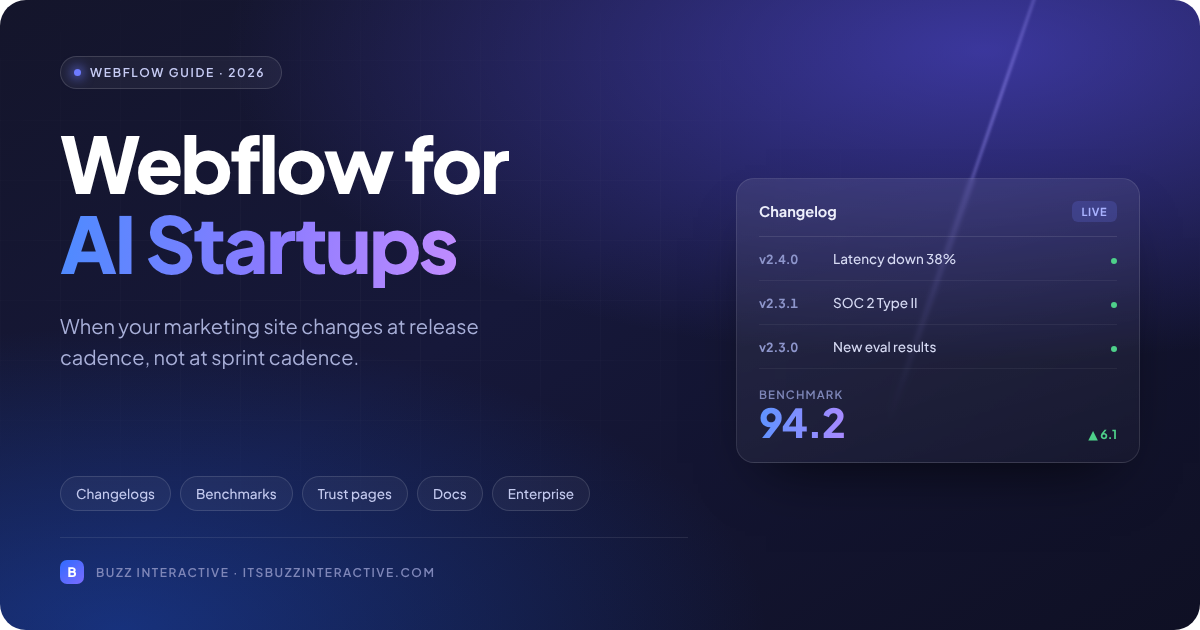
Changelog and model releases become a Collection, not a page. Fields for date, version, category, summary, affected capabilities and a docs link.
The template renders all of it. Marketing publishes a release by filling fields, and every entry inherits the same structure, metadata and schema. The same Collection can power a latest-release strip on the homepage, so the front page ages more slowly on its own.
Benchmark figures become CMS fields referenced across pages rather than numbers typed into a hero. Update the field once and every page carrying the claim updates with it. This is the most valuable structural decision on an AI startup site and almost nobody makes it, which is why so many of these sites carry three different accuracy numbers on three different pages.
Conditional visibility handles the states. A model entry in preview shows a preview badge; a generally available one does not. An eval with a published method shows the method link; one without hides the block instead of rendering an empty section. One template, honest variation.
Trust content gets a Collection with a workflow. Subprocessors as items with an effective date, so a change publishes in advance rather than swapping silently. Enterprise plans add role-based publishing and approval steps, so legal or security can gate what goes live without marketing losing the ability to publish everything else.
Forms capture and the CRM owns. A demo request is submitted in Webflow and passes to the CRM through a native integration or the Data API. Routing, enrichment and qualification stay in the system built for them.
Webflow Logic can trigger a lightweight follow-up, but hold the boundary: workflow orchestration around the site, not inside the product.
The sandbox gets embedded, not rebuilt. Webflow Cloud hosts Next.js and Astro applications, and Code Components let you place React components inside Webflow pages, so a genuine interactive demo can live on the marketing site without the marketing site becoming the product.
DevLink pushes components the other direction. Most agencies leave this out, and for this audience it is the part that matters most. If you are weighing the two design-led builders on this specific requirement, Webflow vs Framer covers the difference.
AEO ships natively, which matters more here than elsewhere. Your buyers shortlist vendors through AI assistants. Webflow includes schema markup, an audit panel and AEO tooling in-platform rather than as a plugin stack, and structured, well-marked-up content is what gets cited. For a company selling AI, being invisible to AI-mediated search is an unusually bad look.
If your release cadence is outrunning your publishing workflow, we can map the content model and ownership boundaries before the next redesign becomes another fixed snapshot.
Webflow stops fitting in five specific places, and knowing them before the build is cheaper than discovering them after.
Developer documentation. If you have an API, docs belong in a documentation platform with versioning, code samples and search built for the job.
Webflow cannot do it well. The real decision is whether docs sit on a subdomain or a subpath. The subpath consolidates SEO authority but needs reverse-proxy work, and that is a build-time conversation.
An authenticated product surface. Webflow Memberships handles gated content. It does not handle SSO, SAML, per-user data, or anything an enterprise buyer's identity team reviews. Once a logged-in experience carries real user state, it belongs in the application stack.
Content volume past the plan ceiling. Webflow CMS limits are set per plan on both collections and items, and a weekly changelog plus an eval library plus a resource centre consumes that faster than teams expect.
The failure is not hitting the ceiling. It is the workarounds built in the six months before, which cost more to unwind than the plan upgrade. Plan limits change, so check current numbers against projected volume rather than last year's figures.
Content that has to appear inside the product. If pricing tiers, help articles, model cards or templates render in both the app and the site, the content model has become application work.
This is the one case where the headless CMS for startups argument holds outright, and where a Webflow vs headless CMS comparison earns its keep, not because Webflow lacks APIs, but because two consumers on different release cycles need a content platform coupled to neither.
Data residency and processing constraints. If a customer contract dictates where form submissions are processed or stored, verify Webflow's handling before you build the form rather than after a security review flags it.
One caveat before you conclude any of this applies. Work out where the bottleneck actually sits. A site that is painful to update because nobody built reusable components, or because permissions were never configured, or because five undocumented scripts are load-bearing, is a Webflow problem you can fix inside Webflow. Migrating will not help, and it costs a quarter.
Match the requirement to the stack rather than picking a stack and forcing requirements into it. The table covers the eight decisions that come up on every AI startup build. A fuller breakdown of the third column sits in Webflow vs Next.js.
A build starts with a boundary map, not a design file. Decide which surfaces are marketing-owned, which are engineering-owned, and which are contested, before anyone opens Figma.
Marketing typically owns the homepage, product and use-case pages, changelog, resources and campaign landing pages. Engineering owns the app, the docs and the sandbox internals.
The contested middle is usually the pricing page, the security page and the embedded demo. Settle those three in writing, because every argument that happens six months after launch happens there.
Scope covers four layers: positioning and information architecture, the design system, the Webflow build with its content model, and the search and AEO foundation.
Timeline depends far more on how much of layer one already exists than on page count. A team with settled positioning and a defined sitemap moves quickly. A team still deciding what it sells does not, and no amount of build velocity fixes that.
Five things you supply:
What you end up with is a system your marketing team runs: a content model matching how the product ships, documented boundaries between Webflow and the product stack, and a backlog that keeps moving without another rebuild.
The platform earns its place when the site absorbs a release without becoming inconsistent. Webflow does that when the content model is built around what actually changes, and when the boundary between the marketing layer and the product stack is drawn deliberately rather than discovered later. The same logic applies one category over, in Webflow for B2B SaaS.
If your site already describes a version of the product you have moved past, the fix is rarely a redesign. See how we build Webflow for AI startups, or talk to us about what belongs in the CMS, what belongs in the product, and who publishes what.
<!-- ============================================================
BUZZ INTERACTIVE - FAQ SCHEMA (FAQPage JSON-LD)
Paste into Webflow page settings, custom code, before </body>.
Mirrors the 9 questions in the FAQ accordion component.
Keep data-bz-faq-schema="true": the accordion script checks
for that attribute and skips its own runtime injection, so
the page never carries two FAQPage blocks.
============================================================ -->
<script type="application/ld+json" data-bz-faq-schema="true">
{
"@context": "https://schema.org",
"@type": "FAQPage",
"mainEntity": [
{
"@type": "Question",
"name": "Is Webflow good for AI startups?",
"acceptedAnswer": {
"@type": "Answer",
"text": "Yes, for the marketing site, when your constraint is publishing speed. Webflow suits AI startups that ship changelogs, benchmark figures and trust updates faster than an engineering sprint absorbs them. It is the wrong choice for developer docs, an authenticated product surface, or content that has to render inside the product as well as on the site."
}
},
{
"@type": "Question",
"name": "Can Webflow handle a live AI demo or sandbox?",
"acceptedAnswer": {
"@type": "Answer",
"text": "Partly. Webflow Cloud hosts Next.js and Astro applications, and Code Components allow React components inside Webflow pages, so a real interactive demo can live on the marketing site. Inference, auth and data handling stay in your product stack. Webflow provides the surface, not the engine."
}
},
{
"@type": "Question",
"name": "Should our docs live in Webflow?",
"acceptedAnswer": {
"@type": "Answer",
"text": "No. Use a documentation platform built for versioning, code samples and API references. Decide early whether docs sit on a subdomain or a subpath, since consolidating SEO authority on a subpath needs proxy configuration that is far easier to plan than to retrofit."
}
},
{
"@type": "Question",
"name": "When does an AI startup need a headless CMS instead?",
"acceptedAnswer": {
"@type": "Answer",
"text": "When the same content renders in the product and on the site. Pricing tiers, model cards, help content and templates are the usual triggers. At that point the content model is application work and needs a platform decoupled from both consumers. One marketing site with a fast changelog is not that case."
}
},
{
"@type": "Question",
"name": "When does Webflow Enterprise become necessary?",
"acceptedAnswer": {
"@type": "Answer",
"text": "When multiple teams publish independently or compliance gates what goes live. Operating across markets and locales, or hitting collection counts that force workarounds, are the other two triggers. Teams commonly wait too long and accumulate debt that costs more to unwind than the upgrade."
}
},
{
"@type": "Question",
"name": "How should we handle usage-based pricing on the site?",
"acceptedAnswer": {
"@type": "Answer",
"text": "Publish the mechanism and a worked example. A calculator or a stated range does more for trust than a three-tier table with no numbers on the AI tier. Buyers are modelling cost at their scale, and a page that will not help them assumes the answer is expensive."
}
},
{
"@type": "Question",
"name": "What should an AI startup's security page contain?",
"acceptedAnswer": {
"@type": "Answer",
"text": "Certification status, retention policy, whether customer data trains the model, and a dated subprocessor list. Enterprise questionnaires now add AI-specific modules covering model risk and training-data governance, so the page should answer those before the questionnaire arrives rather than after."
}
},
{
"@type": "Question",
"name": "Will migrating to Webflow hurt our search rankings?",
"acceptedAnswer": {
"@type": "Answer",
"text": "Not if URL mapping, 301 redirects and metadata preservation are planned before the cutover. Treating them as launch-week cleanup is what causes losses. Our WordPress to Webflow migration guide covers the sequence. The risk is process, not platform."
}
},
{
"@type": "Question",
"name": "How long does a build take?",
"acceptedAnswer": {
"@type": "Answer",
"text": "Four to eight weeks for a marketing site of this shape. Interactive demos, migrations, heavy content volume and unresolved positioning all extend it. Positioning extends it most."
}
}
]
}
</script>


.svg "Upward index finger gesture icon")


